How to use repeater?
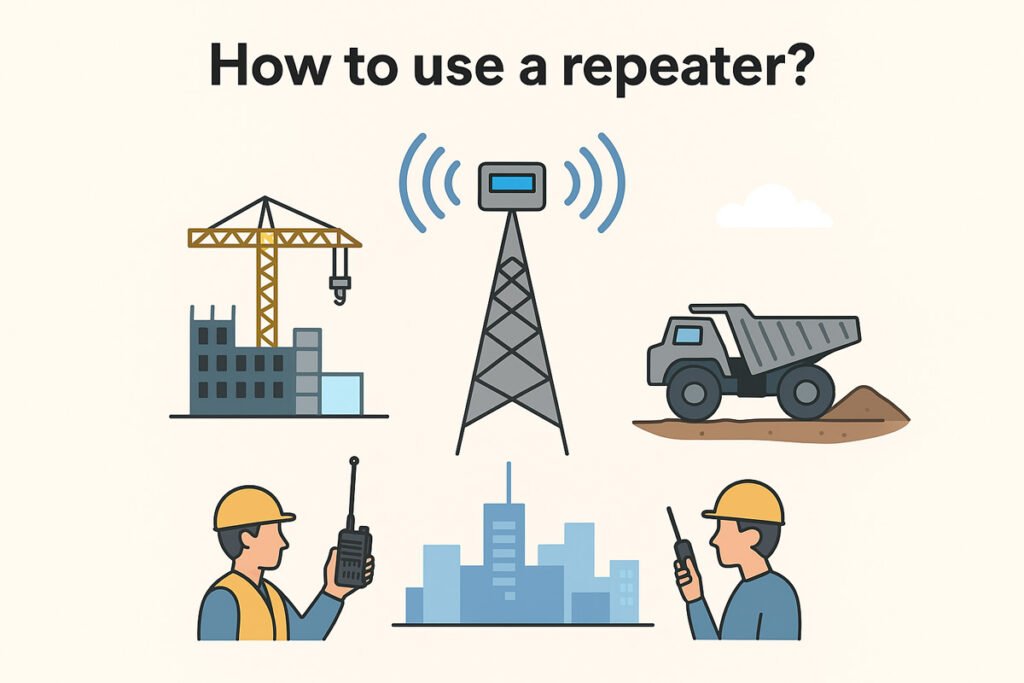
When deploying a radio repeater system, it’s essential not only to understand the basic steps—but also to master the critical accessories, hardware, and software that affect performance and reliability. This article walks you through setup, from planning to advanced tuning.
1. Core Setup: Quick Refresher
Primary Steps:
- Select Compatible Radios
Program radios with correct input/output frequencies, CTCSS/DCS tones, and ensure they support repeater mode. - Cover Basics of Communication
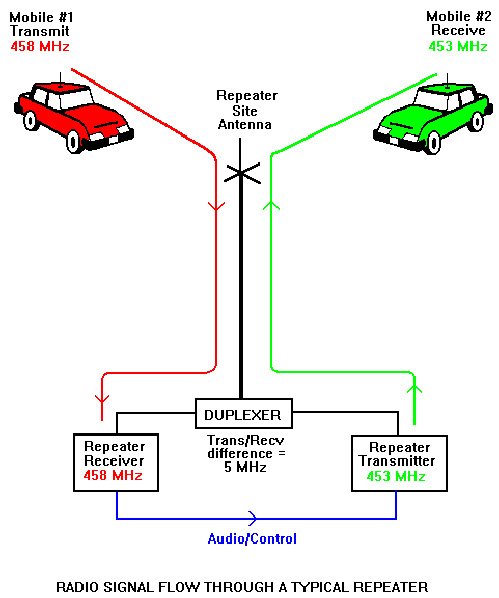
- Input frequency: what radios transmit to repeater
- Output frequency: what repeater transmits back
- PTT etiquette: pause before speaking, clear speech, release promptly
- Pick Optimal Location
Mount the repeater (and antenna) at high elevations—rooftops, towers, hills—to significantly extend range.
2. Essential Accessories & Equipment
A. Duplexer
Allows a repeater to simultaneously transmit and receive through a single antenna. It isolates high-power transmissions from sensitive receivers.
- Uses band-pass and band-stop filters for frequency separation
- Offers high isolation levels—critical when RX and TX frequencies are close
Key Considerations:
- High isolation (up to 100 dB with cavity duplexers) for full-duplex operation
- Low insertion loss to preserve signal strength
- Proper tuning to match your frequencies and power levels is a must
B. Antenna & Feedline
- Use antenna types appropriate for your frequency and repeater coverage goals
- Ensure low-loss coaxial cables and proper grounding
- Mount as high as possible for maximum coverage
C. Power & Backup Systems
Integrate reliable DC power and a backup solution (batteries or generator) to ensure uptime during outages.
D. Isolators, Combiners, Diplexers (for Multi-Band Setups)
- Isolators protect components from reflected signals and intermod interference.
- Diplexers/Combiners enable the use of a single antenna for multiple repeaters or frequency bands.
3. Software & Control Systems
To enhance flexibility and remote management, consider using repeater control software such as:
- OpenRepeater (Raspberry Pi–based)
- SvxLink (Linux voice services)
- EchoStation, SIMPLEX (Windows platforms)
These tools support features like remote control, voice menus, scheduling, and system monitoring.
4. Step-by-Step Deployment & Tuning
| Stage | Description |
|---|---|
| Planning | Define frequencies, power, and frequency splits. Choose duplexer, antenna, isolation hardware, and control software. |
| Physical Installation | Secure repeater and accessory hardware; install antenna high up with proper grounding; connect coaxial feedlines. |
| Accessory Integration | Connect duplexer between TX/RX and antenna. Add isolators or combiners if using multi-band operations. |
| Power Setup | Connect reliable DC power and configure backup sources for resilience. |
| Software Configuration | Install control software and set call logic, ID tones, hang times, menus. |
| Tuning & Testing | Use spectrum analyzers, signal generators, network analyzers to: |
- Tune duplexer cavities for proper TX/RX isolation
- Measure insertion loss and adjust for stability
- Confirm no receiver desensitization (“desense”)
| Field Testing | Conduct live tests from remote locations to verify coverage, audio clarity, and system stability. |
| Maintenance | Regularly inspect connections, antenna, duplexer tuning, and software performance. |
5. Summary Table: Accessory Roles
| Accessory/Component | Purpose |
|---|---|
| Duplexer | Enables single-antenna full-duplex operation; isolates TX/RX paths |
| High-gain antenna & low-loss feedline | Improves range and maintains signal quality |
| Power supply + backup | Ensures continuous repeater operation |
| Isolators / Diplexers | Manage multi-band setups and prevent interference |
| Control software | Offers automation, remote settings, and status monitoring |
| Test equipment (e.g. spectrum analyzer, signal generator) | Essential for precise tuning and performance validation |
👉 If your business needs professional repeater systems and two-way radio solutions, contact us today for a customized consultation or request a quote.