Why would you use a repeater station?
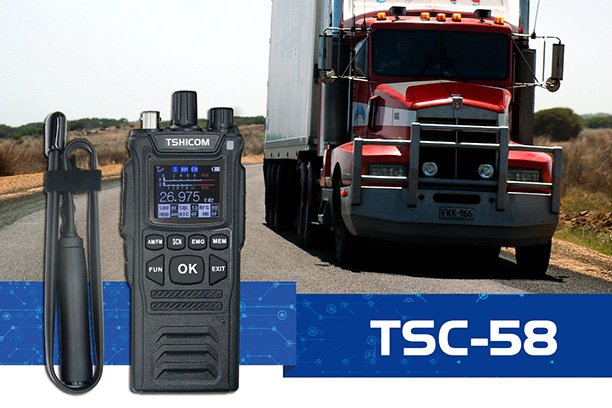
A repeater station is used in radio communication systems—like walkie-talkies, two-way radios, and wireless networks—to extend the range and improve the quality of communication.
Here’s why you would use one:
🔹 1. Extend Communication Range
- Walkie-talkies and handheld radios have limited range (often 1–5 miles line-of-sight).
- A repeater station receives a weak radio signal and retransmits it at higher power or from a higher location (like a tower or hilltop).
- This allows radios that are far apart—or separated by obstacles—to communicate as if they were close together.
🔹 2. Overcome Physical Barriers
- Buildings, hills, and dense forests can block radio signals.
- Placing a repeater on a tall structure or mountain helps bypass these obstacles, maintaining clear communication in challenging terrain.
🔹 3. Improve Signal Quality
- A repeater can clean up and amplify weak or noisy signals before retransmitting, resulting in clearer communication over long distances.
🔹 4. Enable Wide-Area Networks
- In large organizations (like logistics companies, public safety, or event management), multiple repeaters can be linked together to form a network that covers entire cities or regions.
🔹 5. Support for Specialized Functions
- Repeaters can add extra features like:
- Cross-band repeating (VHF ↔ UHF),
- Digital linking between remote sites,
- Emergency backup communication, or
- Private channel control.
How a Repeater Works Internally
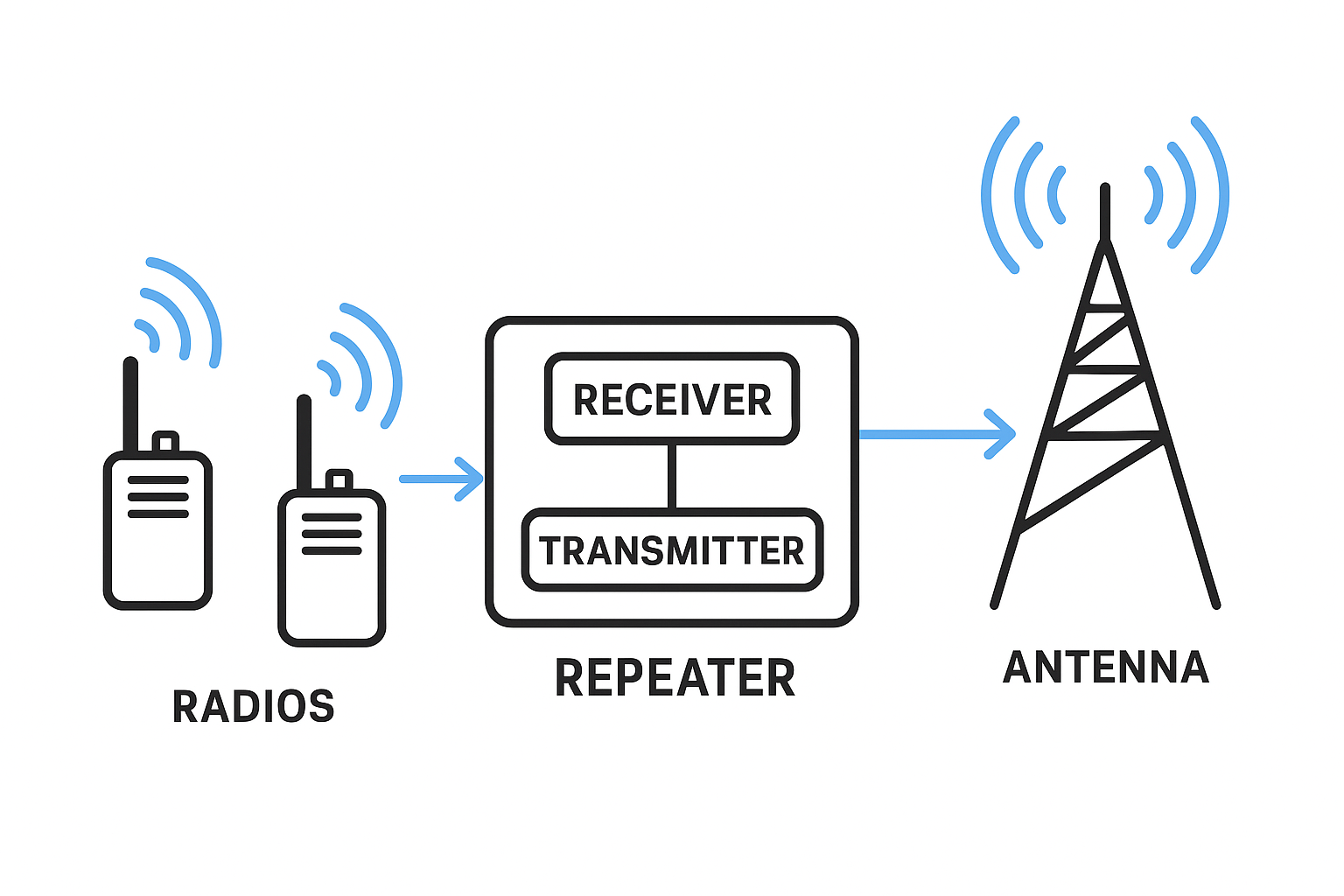
A repeater station is basically a smart relay system. It takes in a radio signal, cleans it up, and re-transmits it on a different frequency — all almost instantly.
Here’s the step-by-step process:
🔸 Step 1: Receive the Signal
- A receiver antenna picks up the incoming signal from a user’s handheld radio (e.g., a walkie-talkie transmitting on 462.550 MHz).
- The repeater listens on a specific “input” frequency.
🔸 Step 2: Process and Filter
- Inside the repeater, filters and amplifiers clean the signal, removing noise and distortion.
- The repeater then boosts the signal’s power.
🔸 Step 3: Transmit on a Different Frequency
- The cleaned signal is immediately retransmitted through a transmit antenna on a slightly different frequency (the “output” frequency, e.g., 467.550 MHz).
- Radios listening on that output frequency receive the strong, clear signal.
🔸 Step 4: Duplex Operation
- Repeaters use a duplexer, a special filter that allows the same antenna (or two very close antennas) to transmit and receive simultaneously on two nearby frequencies without interference.
- That’s why repeaters typically require a small frequency offset, usually:
- ±5 MHz for UHF
- ±600 kHz for VHF
🔸 Step 5: Control Logic
- Many repeaters have a controller that manages:
- Access tones (CTCSS/DCS codes)
- Time-out timers
- ID transmissions (call signs)
- Linking with other repeaters or networks (via radio or the internet)
How to Set Up a Repeater for Walkie-Talkies
Setting up depends on your equipment and purpose (personal, business, or emergency use). Here’s a general guide:
🔹 Step 1: Get Compatible Radios
- Your walkie-talkies must be repeater-capable (able to transmit on one frequency and receive on another).
- Most consumer FRS radios cannot use repeaters, but GMRS, commercial, or amateur (ham) radios can.
🔹 Step 2: Choose a Suitable Repeater Location
- Place it high and clear, such as on:
- A hilltop,
- A building rooftop,
- A radio tower.
- Height is more important than raw power — line-of-sight coverage is key.
🔹 Step 3: Set Frequencies and Tones
- Program:
- Input frequency (what the repeater listens to)
- Output frequency (what users listen to)
- CTCSS/DCS tones for access control (optional)
- Make sure all user radios have matching settings.
🔹 Step 4: Power and Antenna Setup
- Connect a reliable power source (AC with backup battery if possible).
- Use a high-gain antenna with quality coaxial cable to minimize signal loss.
- Keep transmit and receive antennas separated (or use a duplexer).
🔹 Step 5: Test and Adjust
- Test range and signal clarity in different locations.
- Adjust antenna orientation or power if needed.
- If you’re linking multiple repeaters, configure linking tones or digital network settings.
⚠️ Legal Note
In most countries (including the U.S.), operating a repeater requires:
- A license (GMRS, commercial, or amateur),
- Frequency coordination (to avoid interference), and
- Proper station identification.